
Knowing how to manage the cases that you send to the dental lab is one of the most important pieces of our collaboration.
Manage Your Cases at Oral Arts
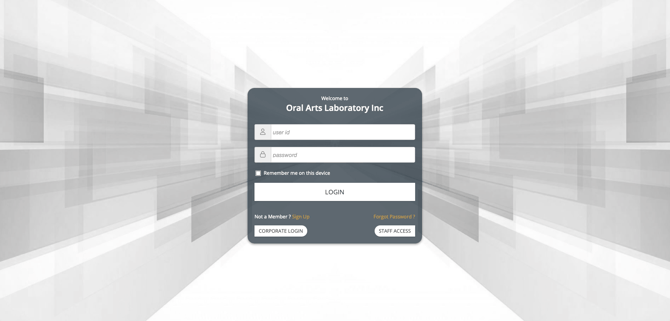
Below are directions to view cases, view design approvals, and submit a digital Rx via the Oral Arts Dental Laboratories Customer Portal.
View Cases
In the Customer Portal, hover over the "Cases" tab in the left-hand navigation menu. Click the button labeled "VIEW CASES." From here, you can view and export your entire case information history. Next to the Case Number on the left-hand side is a menu identified by three horizontal green lines. Click the menu to:
- View Details to see an at a glance view of a specific case
- Cancel the Case
- Upload Files like pictures or scans
- Add a New Inquiry for the Oral Arts team
- Make Comments on the case to share information
- Print the Work Order for your records or to share
- Enter the Case Related Chat where you can send messages directly to the Oral Arts technicians and managers.
Design Approvals
Hover over the "Cases" tab in the left-hand navigation menu. Click the button labeled "VIEW DESIGN APPROVALS." You can filter the results by status (pending, accepted, or rejected).
Coordinating with technicians and managers on designs before they are put into production can drastically reduce the amount of remakes on cases, saving you time and money.
Digital Rx
Many doctors prefer to submit a digital Rx instead of a paper one to reduce the amount of paper they use and keep easy track of their cases without needing to dedicate space to physical copies.
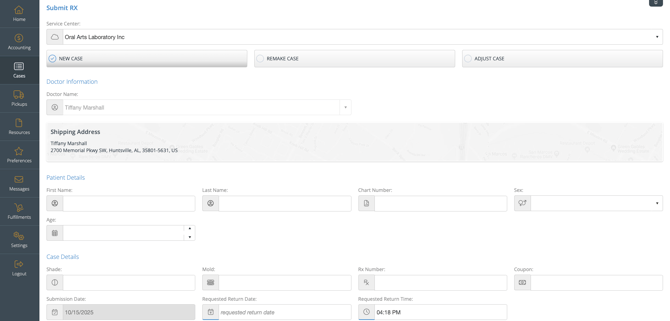
In the Customer Portal, hover over the "Cases" tab in the left-hand navigation menu. then click the button labeled "SUBMIT RX." Here you can differentiate between new cases, remakes, and adjustment as well as choose which production lab you would prefer-Huntsville or Mobile.
Contact Customer Service for Additional Assistance
If you need additional assistance or are encountering a problem not defined above, please don't hesitate to reach out to our Customer Service team at CustomerService@oralartsdental.com.